> ## Documentation Index
> Fetch the complete documentation index at: https://docs.zopio.dev/llms.txt
> Use this file to discover all available pages before exploring further.
# Storybook
> Frontend workshop for the design system
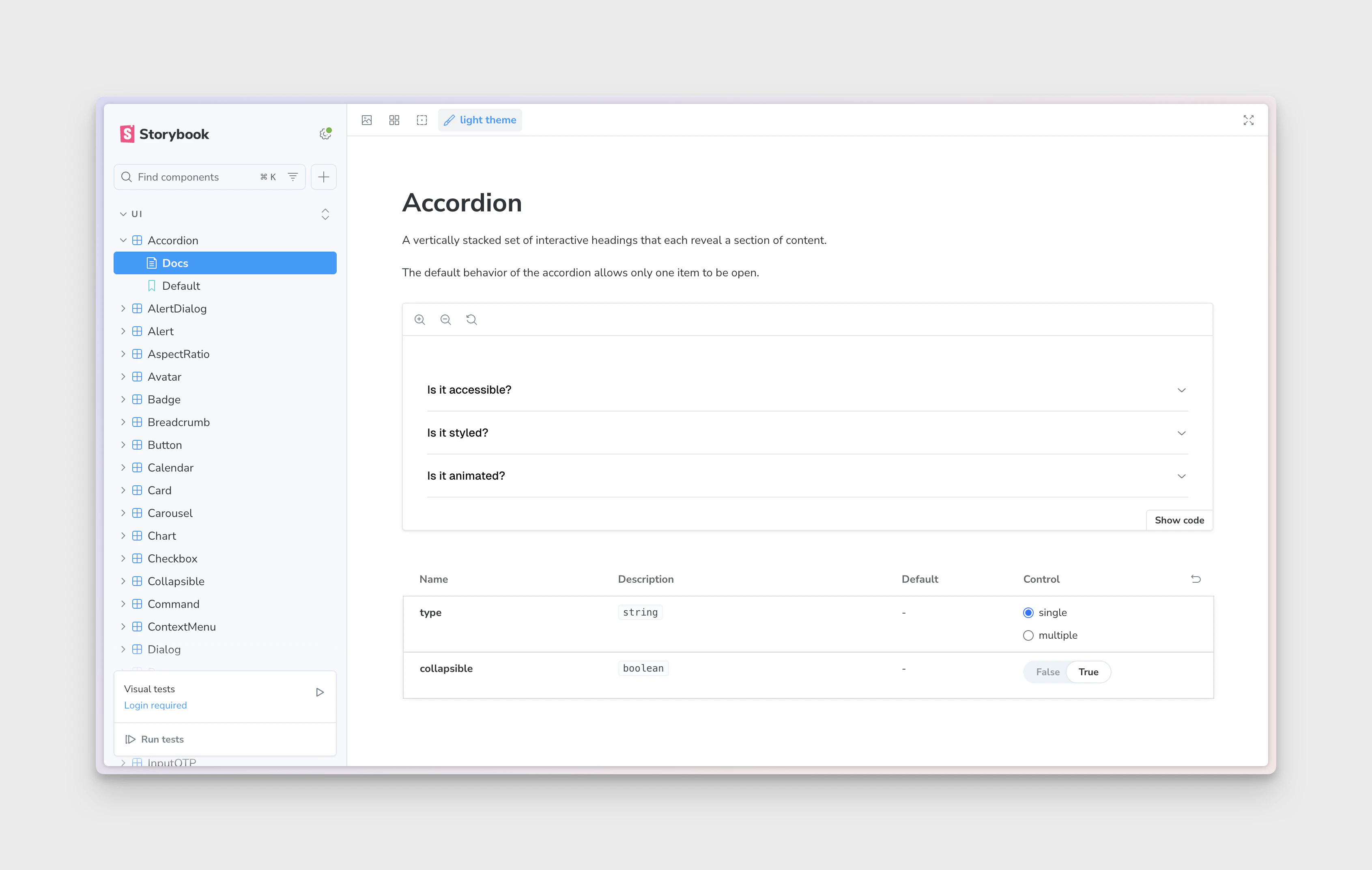 The `storybook` application runs on port 6006.
`zopio` uses [Storybook](https://storybook.js.org/) as a frontend workshop for the design system. It allows you to interact with the components in the design system, and see how they behave in different states.
## Configuration
By default, Storybook is configured with every component from [shadcn/ui](https://ui.shadcn.com/), and allows you to interact with them. It is also configured with the relevant fonts and higher-order components to ensure a consistent experience between your application and Storybook.
## Running the workshop
Storybook will start automatically when you run `pnpm dev`. You can also start it independently with `pnpm dev --filter storybook`. The preview will be available at [localhost:6006](http://localhost:6006).
## Adding stories
You can add your own components to the workshop by adding them to the `apps/storybook/stories` directory. Each component should have its own `.stories.tsx` file.
The `storybook` application runs on port 6006.
`zopio` uses [Storybook](https://storybook.js.org/) as a frontend workshop for the design system. It allows you to interact with the components in the design system, and see how they behave in different states.
## Configuration
By default, Storybook is configured with every component from [shadcn/ui](https://ui.shadcn.com/), and allows you to interact with them. It is also configured with the relevant fonts and higher-order components to ensure a consistent experience between your application and Storybook.
## Running the workshop
Storybook will start automatically when you run `pnpm dev`. You can also start it independently with `pnpm dev --filter storybook`. The preview will be available at [localhost:6006](http://localhost:6006).
## Adding stories
You can add your own components to the workshop by adding them to the `apps/storybook/stories` directory. Each component should have its own `.stories.tsx` file.